Track store activity
Store appears when WooCommerce or Easy Digital Downloads is active. Connect at least one platform first. Store tracking remains off until enabled; opening setup does not silently turn it on.
WooCommerce
Open Store → WooCommerce, enable tracking, and select the events you need. Product views, confirmed cart additions, checkout activity and paid purchases use WooCommerce's own values.
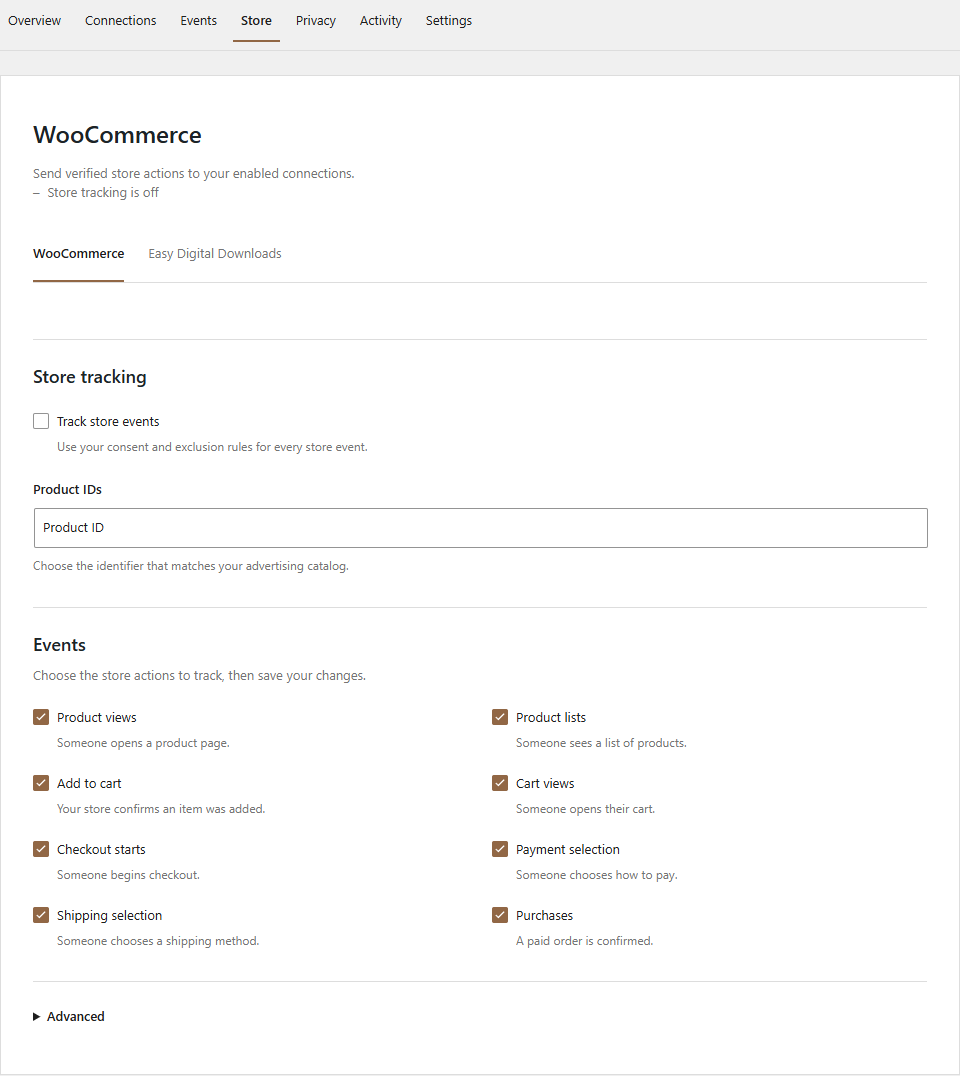
Choose product IDs or SKUs that match your advertising catalog. Check parent/variation handling and any prefix/suffix against a real product in that catalog. Configure which value components to include, then save changes.
Classic storefronts, Cart/Checkout Blocks and HPOS are supported. Purchase events require a paid order and an authorized receipt. Reopening a receipt does not deliberately resend the same purchase. The optional server purchase safety net uses WP-Cron, so low-traffic sites need a reliable cron runner.
Easy Digital Downloads
Open Store → Easy Digital Downloads and enable the events needed for your download store. Match the product identifier format to your catalog and review value options before saving.
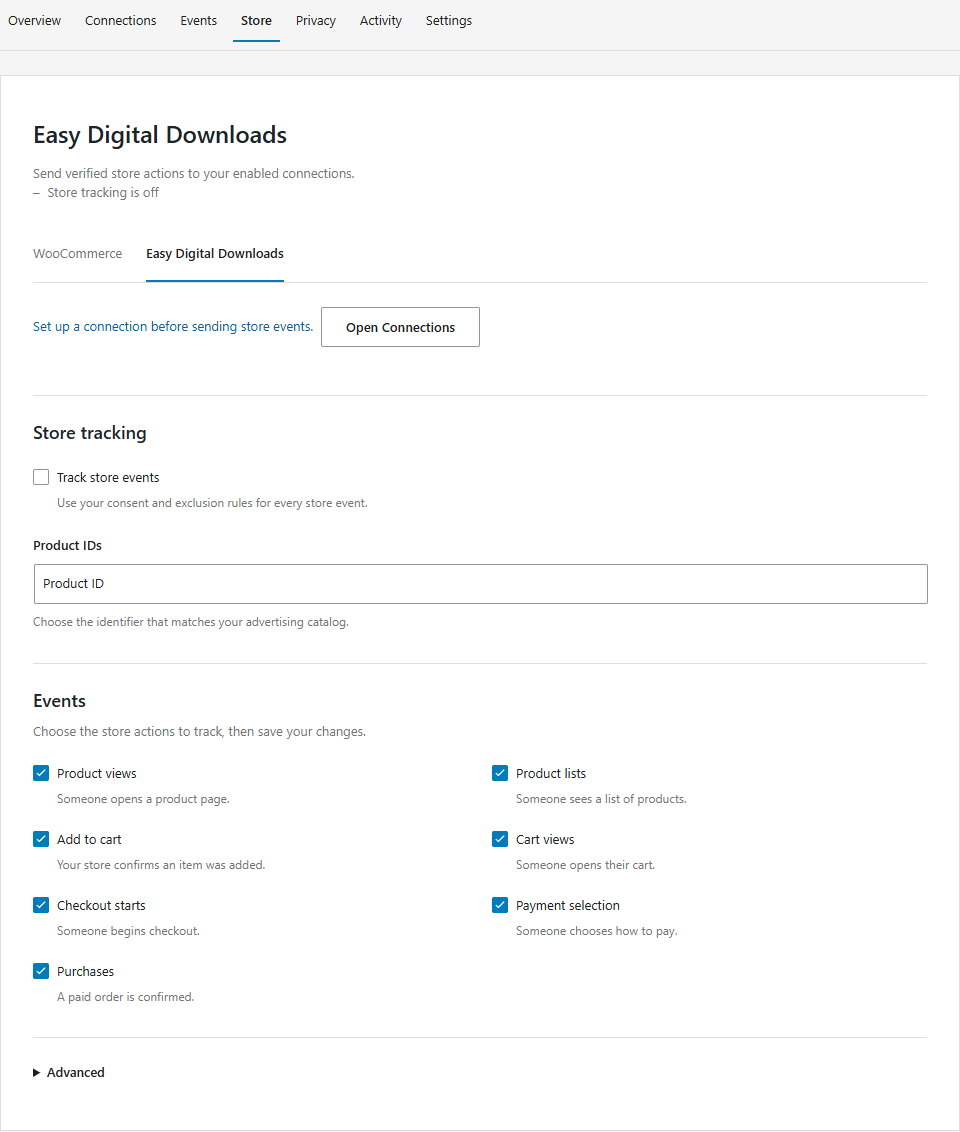
EDD tracking uses native 3.x order/cart APIs and paid totals, including variable pricing. It can coexist with WooCommerce; the two integrations keep separate order identities.
Verify a purchase
Use a staging store and a test payment gateway. Grant the required consent, visit a product, add it to the cart, complete payment and view the authorized receipt. Inspect browser tools and the platform's test-event dashboard. With server logging enabled, Activity also shows server delivery outcomes.
Check the event ID, currency, value and product identifiers. Reload the receipt and confirm no second browser purchase is sent. Test a failed/unpaid order as well: it must not appear as a paid purchase.
Refund delivery is not implemented. Automatic subscription renewals are opt-in, and commercial subscription extensions need separate acceptance testing. Shared event IDs support platform deduplication but do not guarantee global exactly-once delivery during outages or closed browser sessions.
See commerce behavior and compatibility and EDD integration details.